How to Download Pinterest Images
Pinterest is an endless catalog of architectural photography, digital illustrations, infographic diagrams, and creative mood boards. When you want to save visual inspiration for high-dpi graphic design projects, printing, or mood boards, saving directly through the browser often leads to disappointing, pixelated thumbnails. With EZPinSaver, saving the original source photo on iPhone, Android, or desktop computer is simple and reliable in 5 steps:
- Step 1: Open the Image Pin: Browse to the picture pin you wish to download within the Pinterest smartphone application or desktop website.
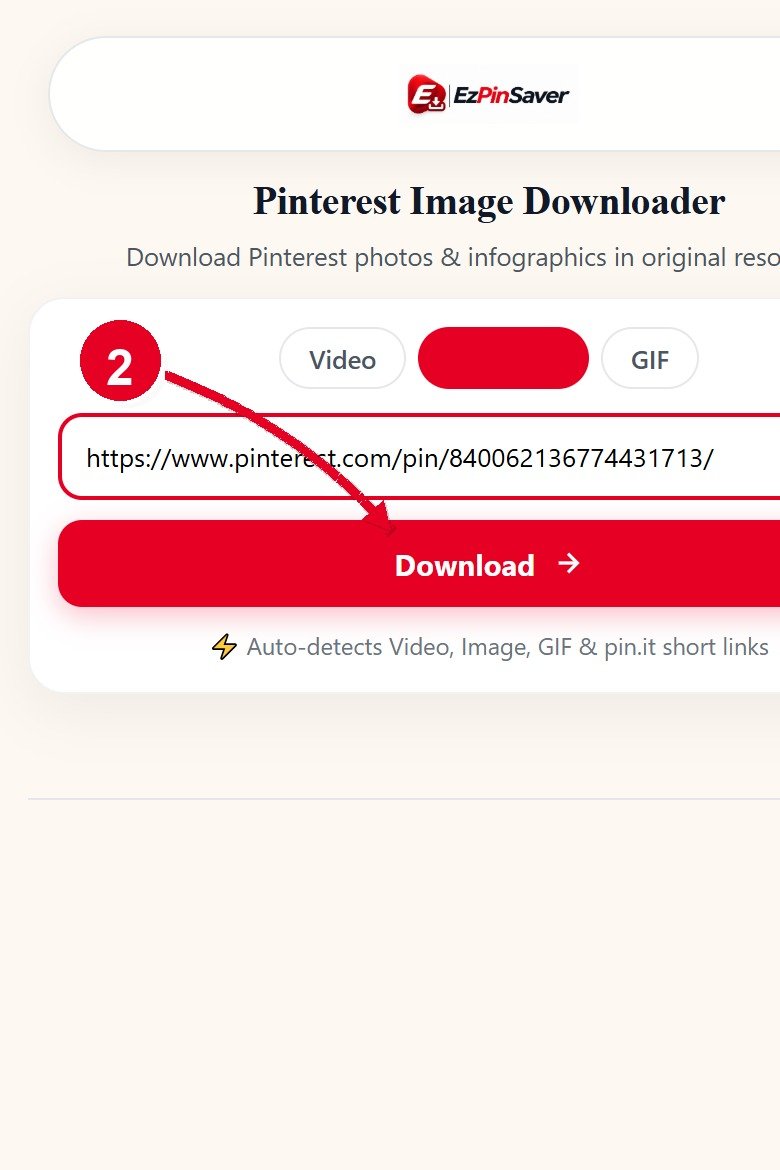
- Step 2: Copy the Pin Link: Tap the share icon and select "Copy Link". If using your computer browser, highlight and copy the complete URL directly from the address bar. Shortened
pin.itlinks from mobile shares are also fully supported. - Step 3: Paste Into Our Photo Downloader: Navigate to this page and insert the copied link into the input box above. You can click the "Paste" button on mobile or press Ctrl+V on desktop.
- Step 4: Locate the Originals Repository: Click the red "Download" button. Our extraction service reads the pin metadata, bypasses the downsampled preview cache, and locates the master image file stored in Pinterest's originals repository.
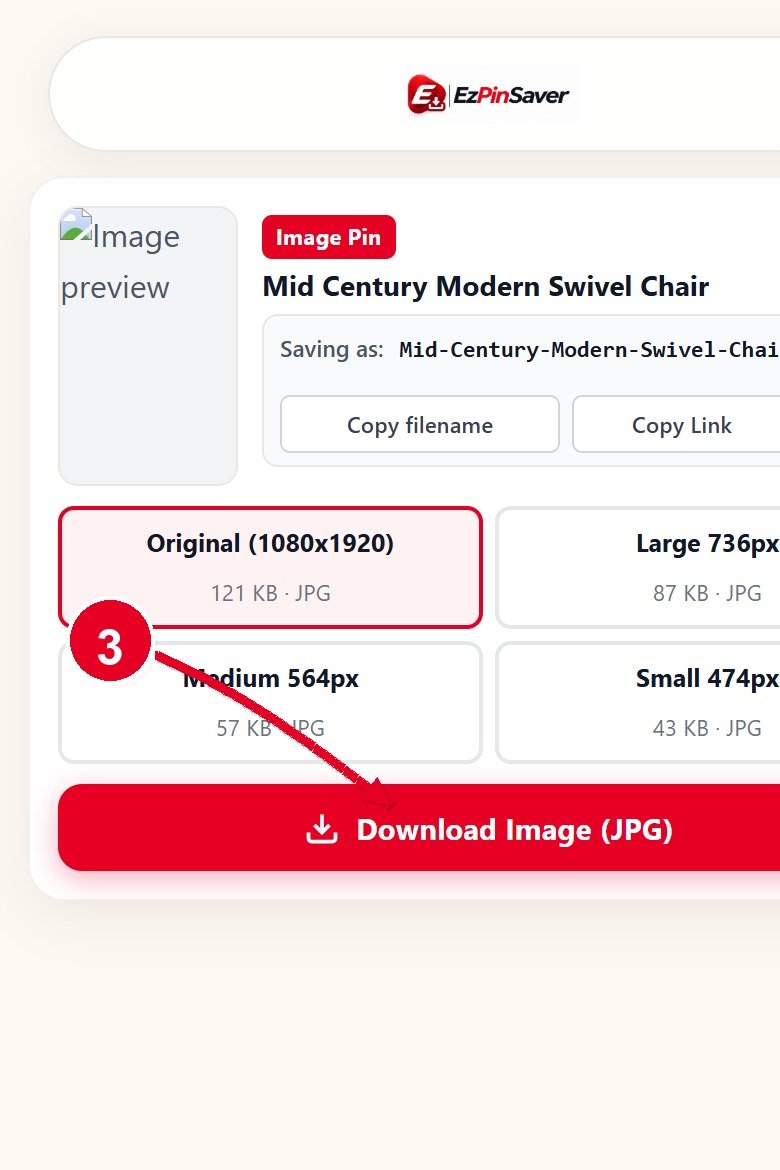
- Step 5: Save in Full Resolution: Check the thumbnail preview and verified title. Click the "Download Original Photo" button to save the uncompressed image directly to your device storage in its full native resolution.
Need to download video tutorials or animated loops instead? Check out our dedicated Pinterest Video Downloader, or return to the EZPinSaver homepage to explore our full suite of media utilities.
Original Quality vs Feed Thumbnails
The primary reason Pinterest users seek an external download tool is the frustrating difference between feed thumbnails and original uploaded files. To maintain rapid scrolling speeds and minimize mobile data consumption, Pinterest's backend servers automatically downscale uploaded images into multiple smaller renditions. When you view a pin in your masonry feed, your browser loads a 236-pixel wide thumbnail (the 236x rendition). When you click into a pin to view it individually, Pinterest serves a 564-pixel wide rendition (the 564x image), or at best a 736-pixel intermediate preview.
If you right-click and save this picture, you are only capturing that low-resolution screen proxy. When viewed on an iPad, a high-resolution desktop monitor, or sent to a photo printer, the image appears noticeably soft, noisy, and blurry around fine text and delicate textures. EZPinSaver specifically queries Pinterest's uncompressed originals/ directory. This unlocks the full-resolution master photo—whether it is 2000×3000 pixels or larger—giving you every detail, true colour accuracy, and edge sharpness intended by the creator.
JPG, PNG or WebP — Which Format Will You Get?
Pinterest does not enforce a single uniform image container across all content. Instead, the format you receive depends entirely on what format Pinterest holds for that pin. When an author uploads a high-resolution camera photograph, Pinterest stores it as an uncompressed JPG image to balance rich tonal gradients with file efficiency. When an artist uploads digital logos, icons, or vector illustrations with transparent backgrounds, Pinterest preserves the lossless PNG format.
For modern browser efficiency, Pinterest also converts many visual assets into Google's modern WebP format, which provides superior compression while maintaining visual transparency and lossless sharpness. EZPinSaver inspects the source header of each pin and delivers the authentic native container without performing lossy file re-encoding. You receive the exact file format stored on Pinterest's edge servers, accompanied by accurate MIME headers that allow your operating system to open the file instantly in any viewer.
Image Downloader FAQ
Find straightforward answers to common questions about saving full-resolution Pinterest images below:
Copy the link of the image pin from the Pinterest app or website, paste it into our input box, and click Download. Our tool queries Pinterest's media servers for the uncompressed master file rather than the preview thumbnail, allowing you to save the photo at its highest available dimensions.
When you right-click or long-press an image directly in your Pinterest feed, your browser saves the compressed 236px or 564px preview thumbnail designed for quick mobile browsing. EZPinSaver bypasses these downsampled caches and directly accesses the raw source file in the originals repository, restoring original clarity and sharpness.
You receive the exact native image container Pinterest stores for that pin. Photography and complex art are usually delivered as high-quality JPGs, while transparent graphics and typography pins often arrive as lossless PNG or efficient modern WebP files.
Your downloaded picture is automatically named using the creator's actual pin title. For instance, a pin named 'Minimalist Scandinavian Living Room' downloads cleanly as minimalist-scandinavian-living-room.jpg, avoiding meaningless random character strings.
No. Our downloader only processes publicly viewable pins. Secret boards, private profiles, and restricted pins require private user login cookies that our privacy-focused architecture does not collect, request, or store.