How to Download Pinterest Videos
Pinterest is packed with helpful video tutorials, creative cooking demonstrations, home renovation reels, and design walkthroughs. However, the official Pinterest interface does not offer a native button to download video streams directly to your local storage. Our web utility provides a streamlined workflow to save any public video pin on iPhone, Android, or desktop computer in 5 simple steps:
- Step 1: Locate the Video Pin: Navigate to Pinterest on your mobile application or desktop web browser and open the specific video pin you want to save offline.
- Step 2: Copy the Pin's URL: Tap the Share button (the paper plane or arrow icon) and choose "Copy Link". If you are using a desktop browser, you can simply highlight and copy the full URL from your browser's address bar. Shortened
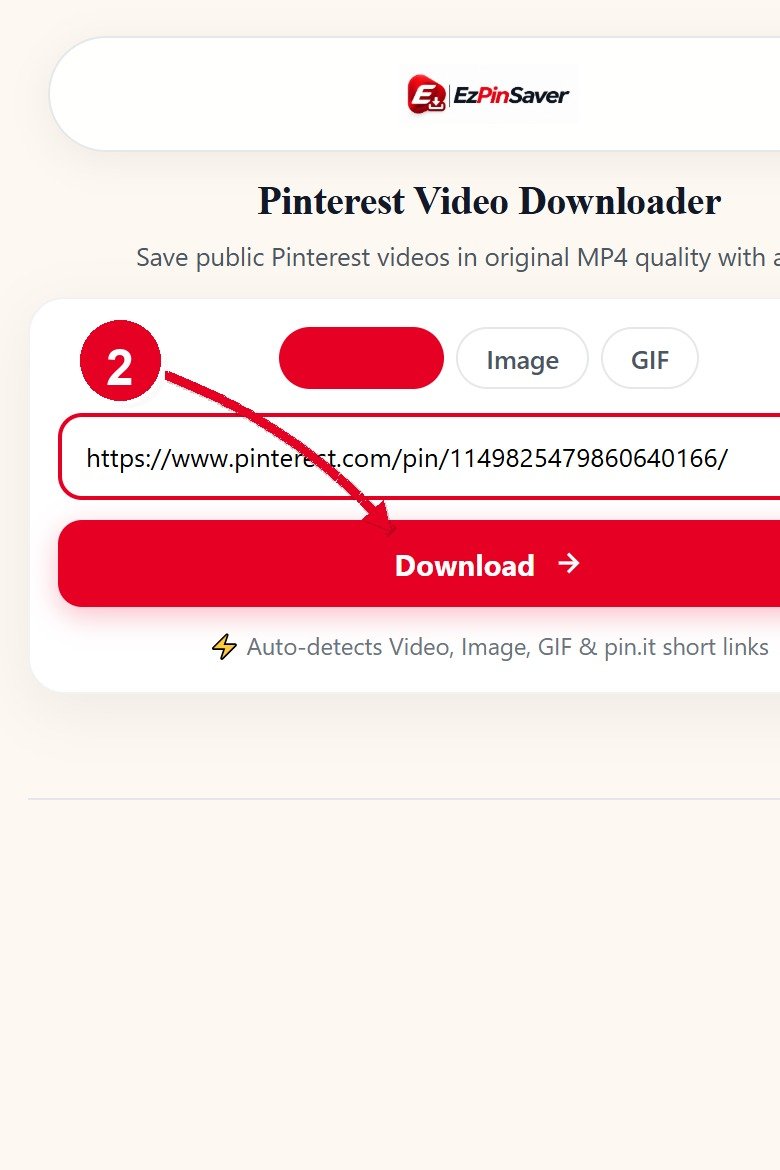
pin.itmobile links are fully supported. - Step 3: Paste Into EZPinSaver: Visit this page and paste the link into the designated input box. You can click the convenient "Paste" button on mobile or use standard keyboard shortcuts.
- Step 4: Fetch Available Video Streams: Click the red "Download" button. Our extraction service parses the pin metadata, identifies the active MP4 video streams hosted on Pinterest's content delivery networks, and reads the original pin title.
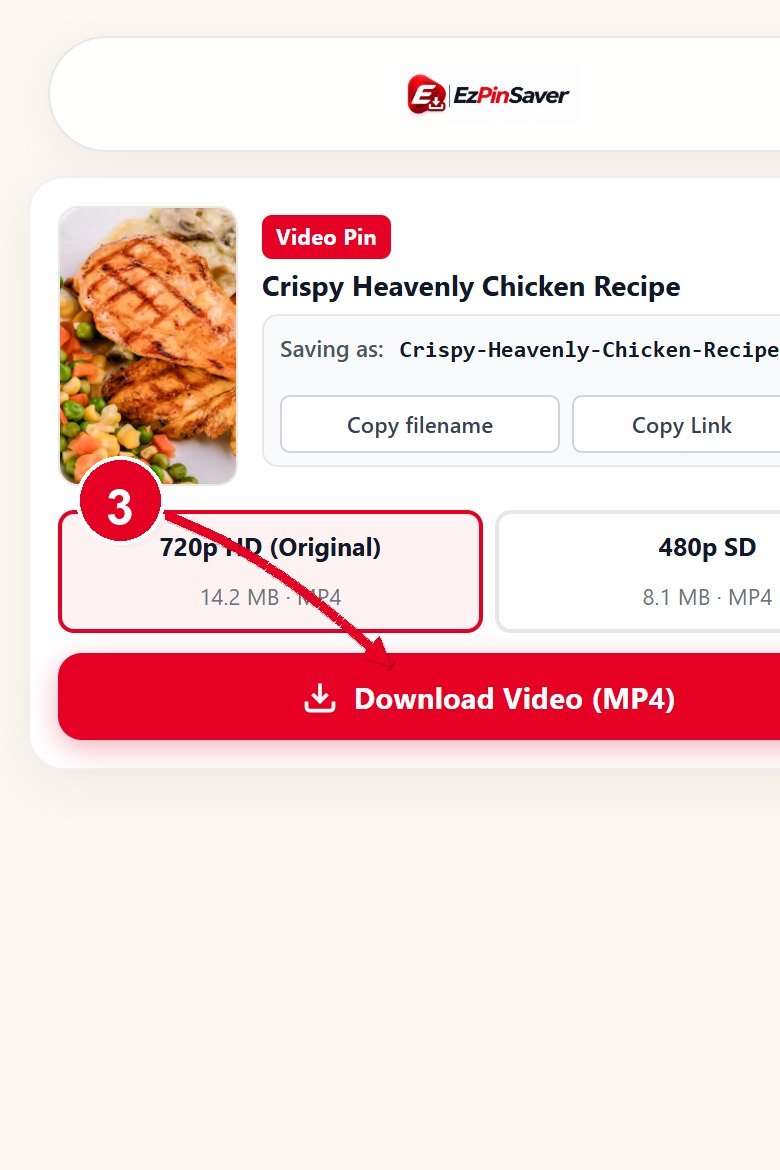
- Step 5: Select Resolution & Save MP4: Review the live preview thumbnail and choose your preferred resolution stream (up to 720p HD — the largest MP4 Pinterest stores for that pin, as well as 540p or 360p). Click your chosen download button to initiate an immediate attachment save directly to your phone's gallery or computer downloads directory.
If you also need to download static graphic pins, photography, or illustrations, visit our dedicated Pinterest Image Downloader or head back to the EZPinSaver homepage for all supported media types.
Pinterest Video Quality: What Resolutions Are Available?
A frequent point of confusion among video enthusiasts is video resolution. When a creator uploads a video to Pinterest, Pinterest's automated media transcoding pipeline processes the source file into multiple progressive MP4 renditions. Depending on the dimensions and bitrate of the creator's original recording, Pinterest typically produces progressive MP4 video streams up to 720p HD (720×1280), as well as 540p, 360p, and 240p renditions.
At EZPinSaver, we believe in complete technical honesty. You get exactly what Pinterest serves on its servers for that specific pin. We never upscale video files with artificial sharpening filters, and we will never mislead you with claims of inflated resolutions when the underlying source material on Pinterest does not exist at those sizes. We deliver up to 720p HD — the largest MP4 Pinterest stores for that pin — with untouched source audio fidelity. If the pin was encoded at 720p, 540p, or 360p, you will see clear, accurate download options.
What Will the MP4 File Be Called?
Most generic video download tools assign arbitrary numeric hashes or generic server names to your downloaded files, such as video.mp4 or 1928374650192837.mp4. When you save ten different cooking tutorials or workout routines over a week, your downloads folder quickly devolves into an unsearchable mess of identical file names.
EZPinSaver solves this completely by inspecting the pin's metadata and extracting the creator's real title. We sanitize special symbols and format the title into a clean, operating-system-friendly slug. For example, if you download a pin titled "15-Minute Creamy Garlic Shrimp Pasta Tutorial", the resulting file will be named 15-minute-creamy-garlic-shrimp-pasta-tutorial.mp4. Your local files stay organized, easily searchable, and immediately identifiable on any operating system.
Video Downloader FAQ
Below are clear, direct answers to the most common questions regarding our Pinterest video extraction tool:
Open the Pinterest app on your iPhone or Android, locate the video pin, tap the share icon, and select "Copy Link". Open your mobile browser (Safari, Chrome, or Firefox), paste the copied link into the input box on this page, and tap "Download". Select your preferred MP4 resolution stream and save the video directly to your photo gallery or files app.
You receive the exact resolution streams encoded by Pinterest's content servers (up to 720p HD — the largest MP4 Pinterest stores for that pin, as well as 540p or 360p). Those exact options are displayed honestly. We never use fake upscaling filters or claim nonexistent resolutions.
No. The downloaded MP4 contains no added logos, watermarks, stamps, or promotional overlays. You receive the pristine, untouched video stream directly from Pinterest's media delivery network exactly as the original author published it.
Every download is named directly after the pin's actual title on Pinterest. For example, a cooking pin titled 'Creamy Garlic Butter Pasta Tutorial' is saved as creamy-garlic-butter-pasta-tutorial.mp4 instead of an unreadable string of numeric characters.
EZPinSaver works exclusively with public pins. If a pin is saved on a private secret board, restricted behind a gated profile, or has been removed by its author, our servers cannot access the video stream without unauthorized authentication. Ensure the link points to a publicly accessible pin.
Yes. Our server automatically resolves and follows pin.it short redirection links generated by the Pinterest mobile app. Simply paste the shortened link directly into the input field and our engine will resolve the canonical pin ID instantly.